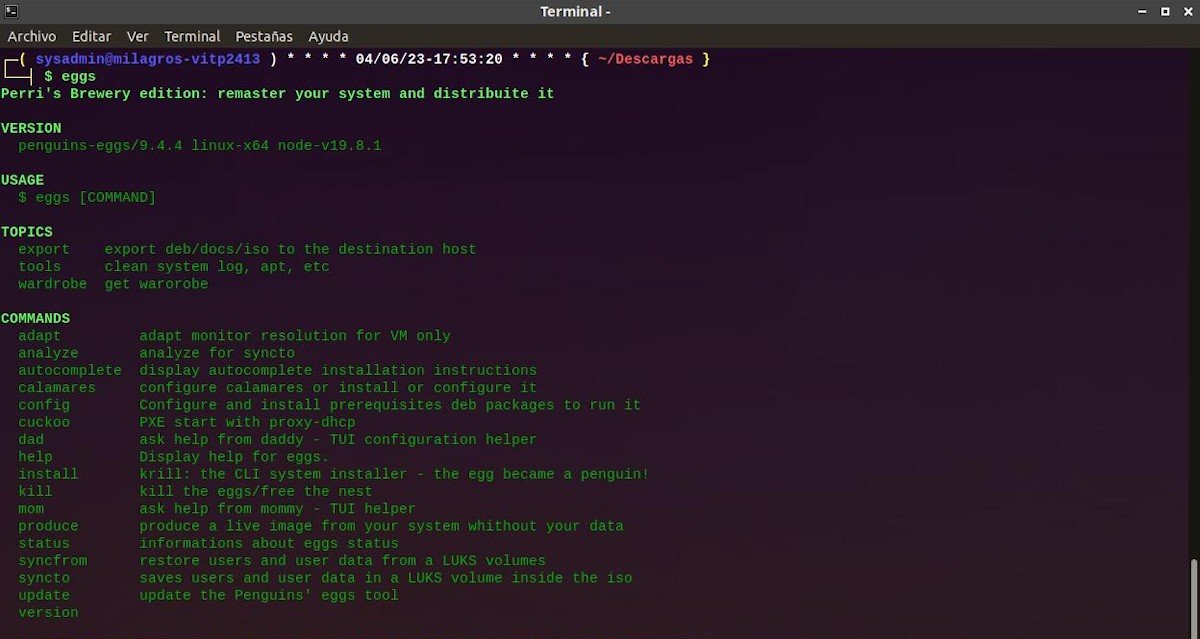
Imagine being able to snapshot your meticulously configured Linux system, complete with all your favorite applications, themes, and settings, and then turn it into a bootable, installable ISO file. This isn't just a fantasy for distribution developers; with Penguins Eggs, it's an incredibly straightforward reality for any Linux user. Whether you're looking to create a personal backup, share a pre-configured environment with colleagues, or even spin your own custom Linux distribution, Penguins Eggs offers an "easy-peasy" solution to generate a bootable ISO from your live system.
This powerful tool transforms your current Linux setup into a ready-to-use live operating system that you can boot from a USB drive or a virtual machine, and even install onto other hardware. It's an indispensable utility for system administrators, developers, and anyone who loves to tweak their Linux experience and wants the ultimate flexibility.
Demystifying Penguins Eggs: What It Does and Why You Need It
At its core, Penguins Eggs is designed to "respin" your Linux distribution. This means it takes your existing, running system – every installed package, every personalized setting, every wallpaper – and packages it into a self-contained .iso file. Think of it as a personalized Linux distribution that reflects your specific environment. The resulting ISO isn't just a live system; it's typically equipped with an installer like Calamares, allowing you to easily transfer your custom setup to a hard drive on any compatible machine. To truly grasp the breadth of its capabilities and how it can revolutionize your workflow, we highly recommend diving into Understanding penguin eggs.
Getting Started: Installing Penguins Eggs on Your System
Before you can conjure your custom ISOs, you'll need to install Penguins Eggs. Thankfully, the process is designed to be as universal and painless as possible. The fresh-eggs.sh script simplifies everything by automatically detecting your Linux distribution, installing necessary dependencies like Node.js if missing, and then setting up the correct Penguins Eggs package. This ensures that regardless of whether you're running Debian, Ubuntu, Fedora, or another popular distro, you can quickly get up and running. If you're ready to add this incredible tool to your arsenal, our dedicated guide walks you through How to install Penguins Eggs.
Your First Custom ISO: A Simple Journey
Once Penguins Eggs is installed, creating your first live ISO is remarkably simple, often requiring just a single command. The tool handles all the complexities in the background, generating an ISO file named intuitively (e.g., egg-of-debian-bookworm-naked-amd64_2025-05-28_1025.iso). This file is a complete, bootable live OS that you can write to a USB drive using tools like Ventoy or simply use in a virtual machine like VirtualBox, VMware, or Qemu. It's a fantastic way to test your custom setup or provide a consistent environment. For a detailed walkthrough of this fundamental process, refer to our guide on how to Create your first ISO.
Beyond the Basics: Tailoring Your Linux ISOs
The true power of Penguins Eggs lies in its flexibility for customization. You can pre-install specific software, configure user accounts, set up desktop environments like E16 or E26, and even apply unique themes before you generate your ISO. What's even more powerful is that after you install your Penguins Eggs-generated system, the utility itself is often already installed, allowing you to further alter and customize that installation and then create yet another new ISO from it. This iterative process empowers you to refine your "respin" until it's exactly what you envision. To learn how to infuse your personality and specific requirements into your bootable systems, explore our article on how to Customize Linux ISOs with Penguins Eggs.
Advanced Configurations for Enhanced Security and Control
Penguins Eggs isn't just about convenience; it also offers advanced features for those needing greater security or specific system behaviors. For instance, you can create virtually unbreakable live systems with options for full system encryption (fullcrypt) or just user home directory encryption (homecrypted). These features, though currently more specialized for certain Debian and Devuan versions for fullcrypt, provide a robust layer of security for your live environments and user data. Furthermore, while Calamares offers a graphical installer, command-line aficionados can utilize krill for system installation. Delve into these powerful capabilities and more by checking out our guide to Explore advanced Penguins Eggs ISOs.
Penguins Eggs truly transforms the way you interact with and manage your Linux systems. It democratizes the process of creating custom, installable operating systems, making it accessible and enjoyable for everyone. Start your journey today and unlock a new level of control over your Linux experience!